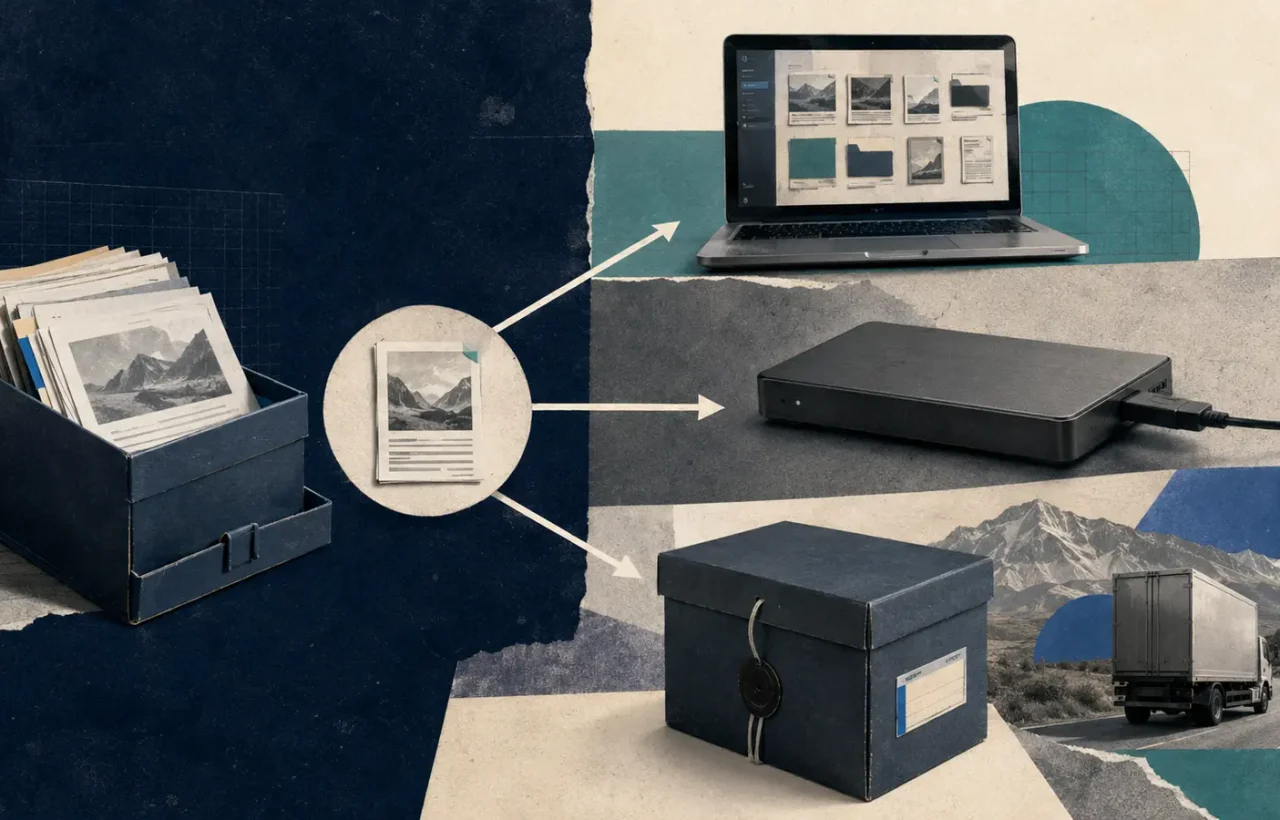
A backup is useful only when you can restore from it. A synchronized folder, a second drive permanently connected to the computer, or a pile of old copies may create comfort without recovery. The 3-2-1 rule is a planning shortcut: keep three copies of important data, on two types of storage, with one copy separated from the original environment.
The numbers are not a law. They force you to remove one common failure: a single event destroying every copy.
What counts as the three copies
Copy one is the working data on your computer or primary system. Copy two can be a local backup on an external drive or network storage. Copy three is kept elsewhere: a reputable cloud backup, an offline drive in another secure location, or a second system protected by separate credentials.
Two folders on the same disk are not two resilient copies. Two drives inside the same laptop can be lost together. A cloud-synchronized deletion can remove the online version too. Independence matters more than the number displayed in an app.
For a small business, “different media” can mean local storage plus an independent cloud backup. You do not need magnetic tape to benefit from the idea. You do need separate failure modes.
Sync and backup are different
Synchronization keeps files consistent across devices. That is convenient when you edit a document on a laptop and open it on a phone. It can also synchronize accidental deletion, corruption, or ransomware-encrypted files.
A backup keeps recoverable history. It should let you return to a state before the mistake. Many cloud drives include version history and deleted-file retention, which helps, but check the limits. A separate backup account or service reduces dependence on one provider and one login.
Do not assume a service is a backup because it uses a cloud icon. Read its retention, versioning, account-recovery, and bulk-restore documentation.
Choose what must be recoverable
Start with consequences. Which files would stop work, cause a legal problem, or be impossible to recreate? Common priorities include documents, photos, accounting exports, website files and databases, design sources, password-recovery material, and configuration records.
Applications and operating systems can often be reinstalled. The data, license information, and settings may be harder to recreate. For each category, decide:
- how much data you can afford to lose;
- how quickly it must be restored;
- how long old versions are needed;
- who is allowed to restore it;
- whether encryption or legal retention applies.
These answers determine frequency. A database that changes every hour needs a different schedule from a yearly photo archive.
A practical personal setup
One workable home arrangement is:
- Keep working files on the computer.
- Run an automatic daily backup to an external drive with version history.
- Back up the most important folders to a separate cloud service with MFA.
- Disconnect or logically protect the local backup when it is not running.
- Test a restore every few months.
For irreplaceable photos, add an occasional encrypted offline copy stored away from the home. A fire or theft should not reach every version.
Phones need attention too. Confirm that photos, contacts, authenticator recovery information, and messages you truly need are included in a documented device or cloud backup. “The phone says backup on” is not the same as knowing what can be restored.
A small-business version
A business should separate production credentials from backup credentials. If an attacker compromises the administrator account, they should not be able to erase every backup with the same session.
Use automated schedules and alerts, but assign an owner. Record the protected systems, frequency, retention, encryption keys, storage location, and restore instructions. Website owners should back up both files and the database; one without the other may not rebuild the site.
Consider an immutable or offline copy for critical data. “Immutable” should mean changes and deletions are prevented for a defined period, not merely that the interface lacks a delete button.
Encryption and recovery keys
Encrypt backups that contain personal, financial, client, or credential data. Then protect the encryption key separately. An encrypted archive whose only key was stored on the failed laptop is effectively deleted.
Document who can recover the key and what happens if that person is unavailable. For family data, a sealed physical copy may be appropriate. For a company, use a controlled key-management and break-glass process.
Before choosing client-side encryption, understand whether filenames, sizes, and metadata remain visible and whether lost keys are recoverable. Strong encryption includes the possibility of permanent loss.
Test restoration, not the progress bar
A green “backup completed” message proves that a job ran. It does not prove that the right folders were included, that the archive is readable, or that the account can be accessed during an incident.
Run small restore tests monthly or quarterly. Choose files from different dates and types. Open them and compare their contents. At least once a year, rehearse a larger scenario: a new device, a clean folder, or a staging website. Measure how long it takes and update the instructions.
Watch for silent failures: a drive that filled up, an expired payment method, a signed-out application, excluded file types, a changed database password, or backup software that cannot read a new disk format.
Ransomware changes the design
Ransomware may encrypt connected drives and synchronized storage. That is why one copy should be offline, immutable, or protected by credentials the affected computer cannot use to delete it. The NCSC and CISA both emphasize backups as part of resilience, but recovery planning, updates, and access control are still required.
After an infection, do not immediately reconnect the clean backup. First isolate and rebuild the affected system, verify the backup, and understand the restore sequence. Otherwise, you may contaminate the copy you were trying to save.
A short checklist
- Identify the data that cannot be recreated.
- Keep at least three meaningful copies.
- Use storage with different failure modes.
- Separate one copy from the main device and credentials.
- Automate the routine and monitor failures.
- Encrypt sensitive data and protect keys separately.
- Record retention and restore instructions.
- Test individual files and a larger recovery scenario.
The 3-2-1 rule is successful when recovery becomes ordinary rather than heroic. The best time to discover a missing database, forgotten key, or expired account is during a scheduled test—not after the original has disappeared.