
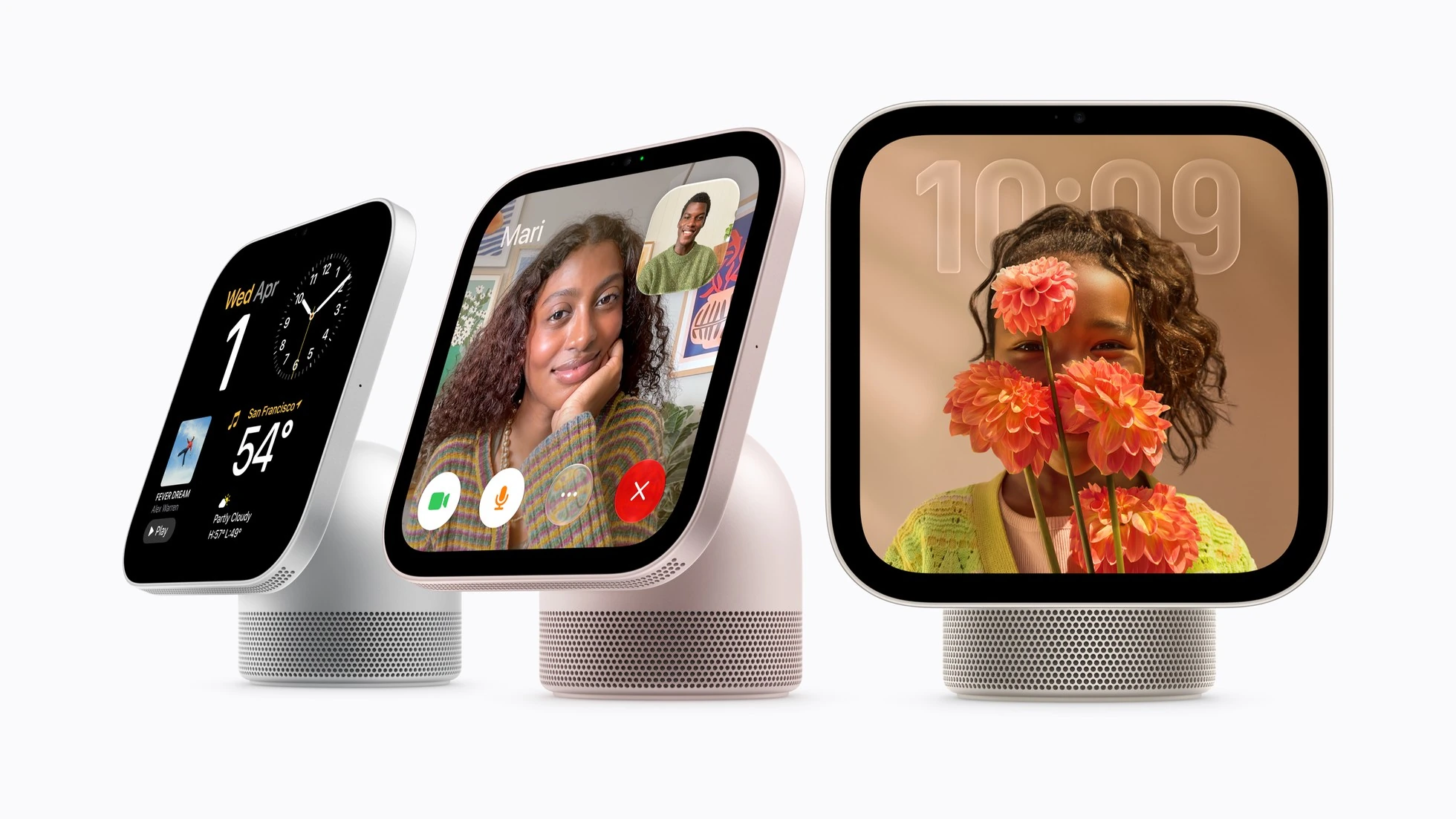
Apple HomeView went on sale on November 13, combining a home display, Siri AI, video calls, and compatible accessory controls through Apple Home. In the US, both tabletop and wall-mounted models start at $299. Choosing one also calls for checking the region, each user’s phone, and the power setup, particularly for a wall installation.
Where HomeView is sold and which language Siri supports
The launch markets are Australia, Canada, India, New Zealand, Singapore, the UK, and the US. Apple’s November 13 announcement explicitly says HomeView is unavailable for sale in the European Union because of Siri AI availability. Check these launch conditions before ordering from another country.
Siri AI on HomeView is available in English. The initial software 27.2 notes also require the paired iPhone or iPad to use the same English variant. If household members normally address an assistant in different languages, ask for a demonstration of the scenario you need and confirm current support. A Siri language list for another device does not establish HomeView compatibility.
What the $299 price includes
Both models have a 7-inch Liquid Retina display, an A18 chip, and a 12MP Center Stage camera for video calls. The tabletop HomeView sits on a speaker base with adjustable screen tilt. The wall-mounted version uses a different enclosure and audio design, so decide how you want to position it before choosing a model.
The tabletop model includes a USB-C cable and power adapter. Technical specifications list the wall model’s compatible mount, cable, and adapter as separate purchases, with at least 20W required from the adapter. Both need wired power. Plan the outlet and cable route at the same time as the screen position.
| Configuration | Calculation from US starting prices |
|---|---|
| Tabletop HomeView | $299; cable and adapter included. |
| Wall-mounted HomeView and Power Mount USB-C Wall Connector | $299 + $59.95 = $358.95. |
| Wall-mounted HomeView and Power Mount AC Wired | $299 + $79.95 = $378.95. |
The last two rows count only the device and named mount. Components needed for the chosen installation, labor, delivery, and taxes can change the total. Apple announced Power Mount PoE Wired for early 2027, so it should not be assumed available for an immediate installation.
Setup compatibility and personal Siri features
Technical requirements specify an iPhone with iOS 27.2 or later or an iPad with iPadOS 27.2 or later, current HomeView software, and Wi-Fi internet access. These are the basic system requirements.
Personal-context requests through Siri AI require a paired Apple Intelligence-capable device with Siri AI enabled. Apple’s supported devices include iPhone 15 Pro, the iPhone 16 family and later eligible models, M1-or-later iPads, and compatible iPad mini models. Check the exact device in the help page. Installing the required OS version alone does not establish support for every personal feature.
For a household purchase, make a short list with each person, their phone or tablet, software version, and intended feature. This shows who needs timers and music and who expects access to their own events or messages. Checking only the newest phone in the house will not answer that question for everyone.
Multiple users and personal information
HomeView is designed to recognize up to six users. A full personalized experience requires each person to have an Apple Account, a compatible iPhone or iPad, and membership in the shared home. Guest use supports activities such as playing music or setting a timer without accessing someone else’s messages and calendar.
Apple describes personal content appearing under combined conditions: HomeView recognizes the person’s face, and the paired iPhone or iPad was recently unlocked and is on the same Wi-Fi network. A launch footnote also describes an exception after disconnection from Wi-Fi: an active cellular connection, the same location, recent connection to the home network, and a recent unlock are required. Turning Wi-Fi off alone should therefore not be treated as a guaranteed way to hide a personal screen.
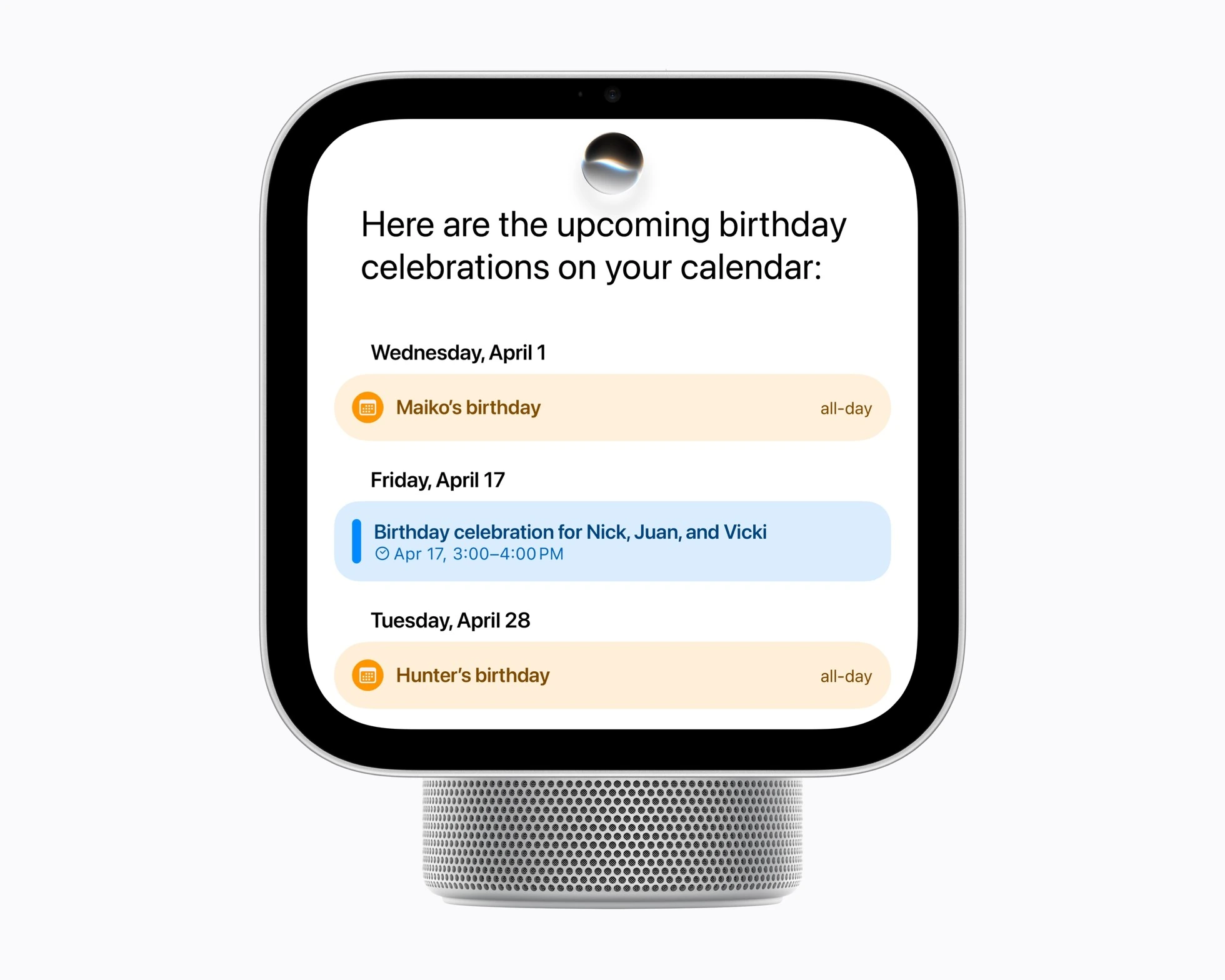
During a demonstration, ask to see the difference between your profile, another resident’s profile, and a guest. A test calendar event with a neutral name is enough. The useful outcome is understanding whose content appears and under which conditions, beyond seeing successful recognition of one face.
HomeView as a home hub
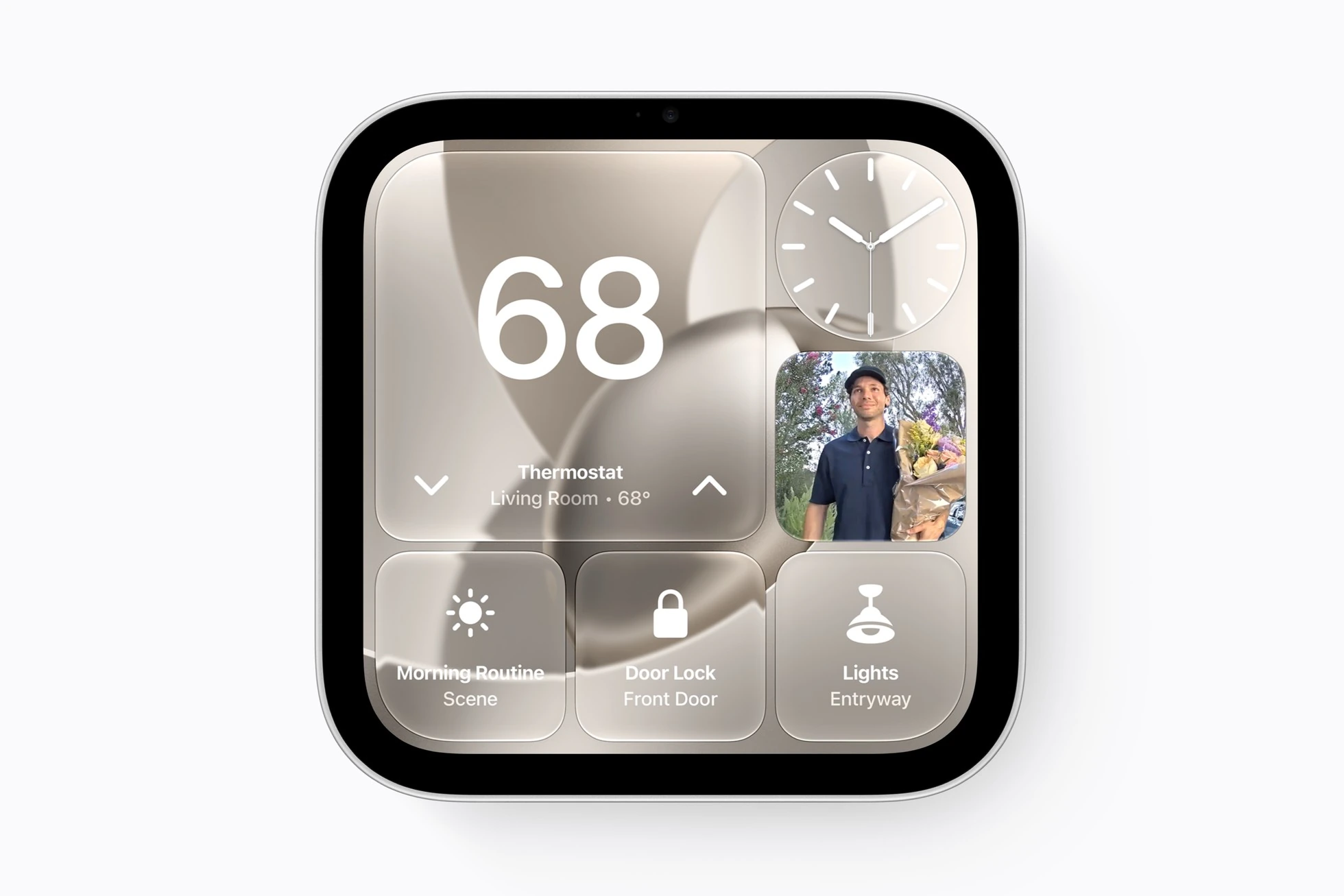
HomeView automatically becomes a home hub when set up. Apple’s guide describes this role for remote accessory access, sharing controls, and automations. The home owner can add it as a hub; the account needs two-factor authentication and iCloud Keychain.
If you already use a HomePod or Apple TV as a hub, check the current selection under Home → Home Settings → Home Hubs & Bridges. Also list the exact lights, cameras, and sensors you plan to use. For new accessories, Apple advises checking Apple Home compatibility and the corresponding label.
The app you need deserves its own check. Apple’s software notes describe built-in apps and supported third-party audio and video apps from iPhone. If one service is the main reason for buying, ask to open it and perform the relevant task before assessing the other features.
A short demonstration plan
For an example household of two people, prepare the following checks. This is a suggested demonstration plan rather than a hands-on HomeView review.
- Screen and sound. View the calendar from where you normally stand and listen at a comfortable volume. Check the tilt or planned mounting height.
- Language. Ask several familiar English questions in your own voice. Confirm the English variant and feature availability for your region.
- Profiles. Check each resident’s test events and the guest experience. Observe what happens when the person using the screen changes.
- Home controls. Switch a compatible lamp or run a simple scene, then check its status in Home. Choose an action whose result is easy to observe.
- Cart. Review the device, mount, power components, and installation separately. Keep the final configuration and a list of what the quoted price includes.
Siri AI is labeled beta at launch. Apple also warns of usage limits for some server-model features and future paid access for expanded usage. Avoid building a purchase budget around unlimited use of every AI function throughout the device’s life. Check the conditions of the particular capability you expect to use.
When preparing questions for a seller, our article on Gemini glasses, account regions, phones, and privacy offers another example. The home-display decision follows a similar order: establish that the intended scenario works for each user, then compare complete configuration costs.


Join the conversation
Stay on topic and respect other readers. Your first comment may appear after editorial review.