

On November 24, Anthropic began rolling out Install as app in Claude for Mac and Windows. An eligible artifact can open as an app with its own icon and window. If you made a timer or calculator in Claude, you can open it from your computer’s app menu without looking up the old conversation.
The app stays linked to the artifact. When you or another editor changes it, the installed version updates too. You need an internet connection and a Claude Desktop sign-in to open it. That matters if you want to use your tool on a flight or somewhere else without a connection.
Which artifacts can become apps?
An artifact is a separate result that Claude opens beside the conversation. It might be a page, a chart, or a tool with fields and buttons. You can ask Claude to change a timer in chat and see the new version next to it. An interactive tool like this can become an app if Claude offers the install option.
If Claude replies with text and no separate panel, ask it to create an interactive artifact. There’s also a setting to check. Under Settings → Capabilities, turn on Create and edit files. In some accounts it’s still called Cloud code execution and file creation. Work accounts get that setting from their organization.
For a small starting project, ask for a work-and-break timer with large digits. The timer can work with information you enter in its own window. You can allow system notifications later if you want it to alert you while another window is covering it.
The beta supports a subset of artifacts. It excludes template-based artifacts such as Docs, Slides, and Sheets, along with legacy artifacts and live artifacts from Claude Cowork. If you see the option on a tool you just made and it’s missing from an older one, the artifact type may explain the difference.
How to install and open an app
You need Claude Desktop 6.28899.0 or later. On Mac, look under Claude → Check for Updates. On Windows, the update command is in Help under the menu button. Open the artifact, choose Share → Install as app, and confirm. The same option is available in the artifact’s title menu.
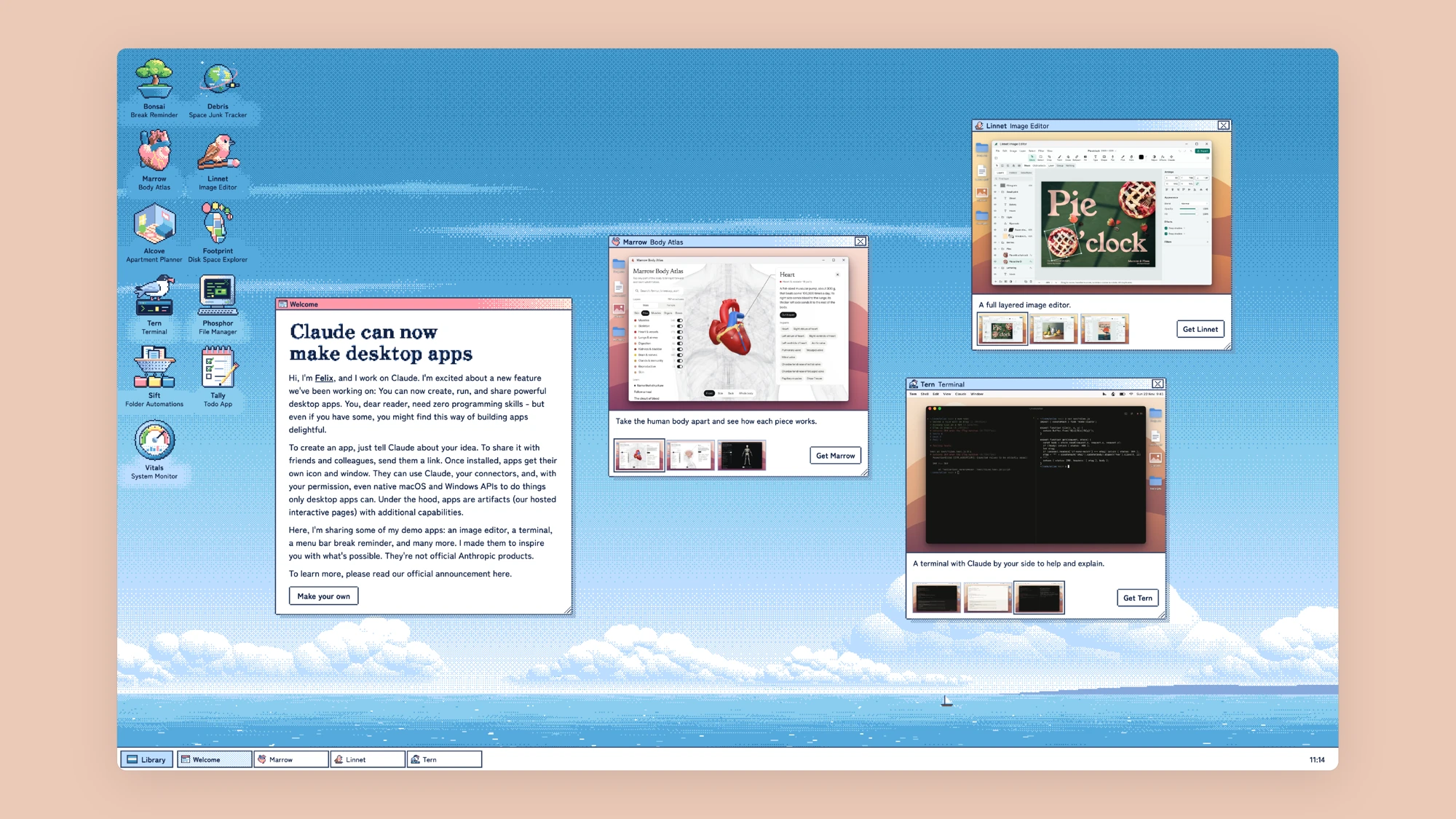
On Mac, use Spotlight or look for Claude Apps in the Applications folder inside your home folder. On Windows, you’ll find a Claude Apps folder in Start and a shortcut on the desktop. Claude Desktop also lists installed apps under File → Apps.
An app with a Mac menu bar item or a Windows tray icon can keep running after you close the window. To stop it on Mac, open it and press Cmd+Q. On Windows, find its tray icon and choose Exit.
What an app can ask to do
An app starts with the capabilities of a browser page. Extra requests depend on what it is designed to do. A calculator can run in its own window, while a timer might ask to show system notifications.
| Permission level | What it allows |
|---|---|
| Default | Run in its own window with the capabilities of a web page |
| App permissions | Individual features such as notifications, global shortcuts, a tray icon, or a window that stays on top |
| Full computer access | Run programs and read, change, or delete files without a prompt for each action |
Full access is for jobs that require working with files or running other programs. You can grant it to an app you made or, on Team and Enterprise, one from people in your organization if its policy allows it. If a basic timer asks for full access, decline and find out what it needs it for. Anthropic doesn’t review apps before installation.
Photos show the difference. A tool can preview a few pictures that you select and give it. Automatically renaming photos in a folder on your disk is a separate action that can prompt a full-access request. The permission extends beyond that folder. Starting with a few copies lets you see the names it creates before you use it on the originals.
How updates affect permissions
An approval covers that version of the app. When the artifact updates, Claude will ask again, even if you made the change. A permission you declined stays declined until you change it. Code an app loads from another site is a separate case. It can change without another permission prompt.
To change a permission on Mac, click the open app’s name in the menu bar and select Permissions. On Windows, right-click the title bar to find the same option. You can also open File → Apps in Claude Desktop, select the running app, and open its permissions.
The same File → Apps screen has an Uninstall option. It removes the installed app and clears its permissions. The artifact is still available in Claude if you want to edit it and install it again later.
For a shared app, its owner can take away access. Claude then stops programs the app started. The help center says that can take up to about 20 minutes. The check may take longer if Claude is offline or you have signed out.
Who can use the beta?
Anthropic is rolling out installs on every plan, including Free. The feature is on by default for Team, with a separate administrator setting for full computer access. On Enterprise, an owner needs to enable installation in the organization’s Artifacts settings.
What someone gets when you share the artifact
Use Share in the artifact to manage access. On paid personal plans you can invite someone by email. Give a colleague Can view if they only need to open it. Can edit also lets them make changes. Those edits can reach installed copies because the apps follow the underlying artifact.
The recipient opens it under their own account. If their version of Claude Desktop supports installation, they can install it and choose permissions on their computer. With regular sharing, each user also connects their own services. A calendar tool can read the events of the person who connected their calendar when their plan supports connectors.
The app’s Claude requests count against the plan of the person using it. A timer that just counts seconds may only need Claude when you create or edit it. A tool that asks for a summary of fresh emails each time you open it will use part of the plan’s allowance during everyday use.




Join the conversation
Stay on topic and respect other readers. Your first comment may appear after editorial review.