
Preorders opened on November 12 for Intelligent Eyewear: Gemini-powered glasses developed by Google and Samsung with Warby Parker and Gentle Monster. Starting prices are $395 and $449 respectively. Before ordering, check three things: availability for your Google account, compatibility with your exact phone, and the cost of the lenses you need.
What the glasses can do
The format combines a camera, open-ear speakers, and a voice assistant. Google demonstrates asking about an object in front of you, translation, directions, and updating a shopping list. The glasses also support taking photographs, recording video, listening to audio, and phone calls. Gemini features require setup.
Warby Parker lists a 12MP camera, 3K video at 30fps, four microphones, and up to nine hours of use per charge. The case is rated for another seven full charges. These are manufacturer claims: they do not establish how long the glasses will last with your particular combination of conversations, music, and camera use.
Check account availability before paying
Google’s announcement limits use to compatible Google accounts for adults aged 18 and over from the United States and South Korea. Check service availability for your account before arranging to obtain a pair. International delivery or a compatible smartphone does not resolve account eligibility.
If considering a purchase outside those markets, first ask the seller to confirm support for your intended use. A useful question is: “Can I set up Gemini on these glasses with my current Google account and phone in my country?” Keep the answer before placing an order.
Which phone do you need?
The following requirements come from Warby Parker’s technical specifications at the time of writing.
| Phone | Listed requirements |
|---|---|
| Google Pixel | Pixel 7 or later, with Android 17 or later. |
| Samsung Galaxy | S, S FE, Z Fold, Z Flip, or Z Fold Ultra series, with One UI 9.0 or later. |
| iPhone | iPhone 13 or later, at least 6GB RAM, and iOS 26.6 or later. |
The requirements within a row apply together. For an iPhone, checking the generation number alone is insufficient: the specification also sets a minimum amount of memory. Confirm the exact model and installed operating system rather than relying on the phone family’s name.
The phone remains relevant after setup. Google’s FAQ says a Bluetooth connection to it is required for asking Gemini about your surroundings and streaming media. Try the functions you need with the phone you intend to carry.
The starting price and your lens configuration
“From $395” is a starting point for choosing a configuration. The Wren product page in Pine, for example, lists these starting prices in US dollars:
| Wren configuration | Starting price |
|---|---|
| Non-prescription | $395. |
| Single-vision prescription | $495. |
| Readers | $495. |
| Progressive lenses | $725. |
Additional lens options can change the total. Before checking out, review the material, correction type, frame width, shipping, and taxes. If you wear glasses daily, the fit and comfort of the particular pair remain part of the decision alongside its electronics.
The camera: stored data and the visible indicator
Google says camera visuals sent to Gemini to answer a question are not saved in Gemini History or used for model training or ad targeting. Chat history has separate settings, however. These are different data types, so review personalization settings during setup.
An outward-facing light indicates photographs and video captured for the gallery. Google says covering or tampering with the indicator is designed to prevent capture. The frames also have a physical power switch.
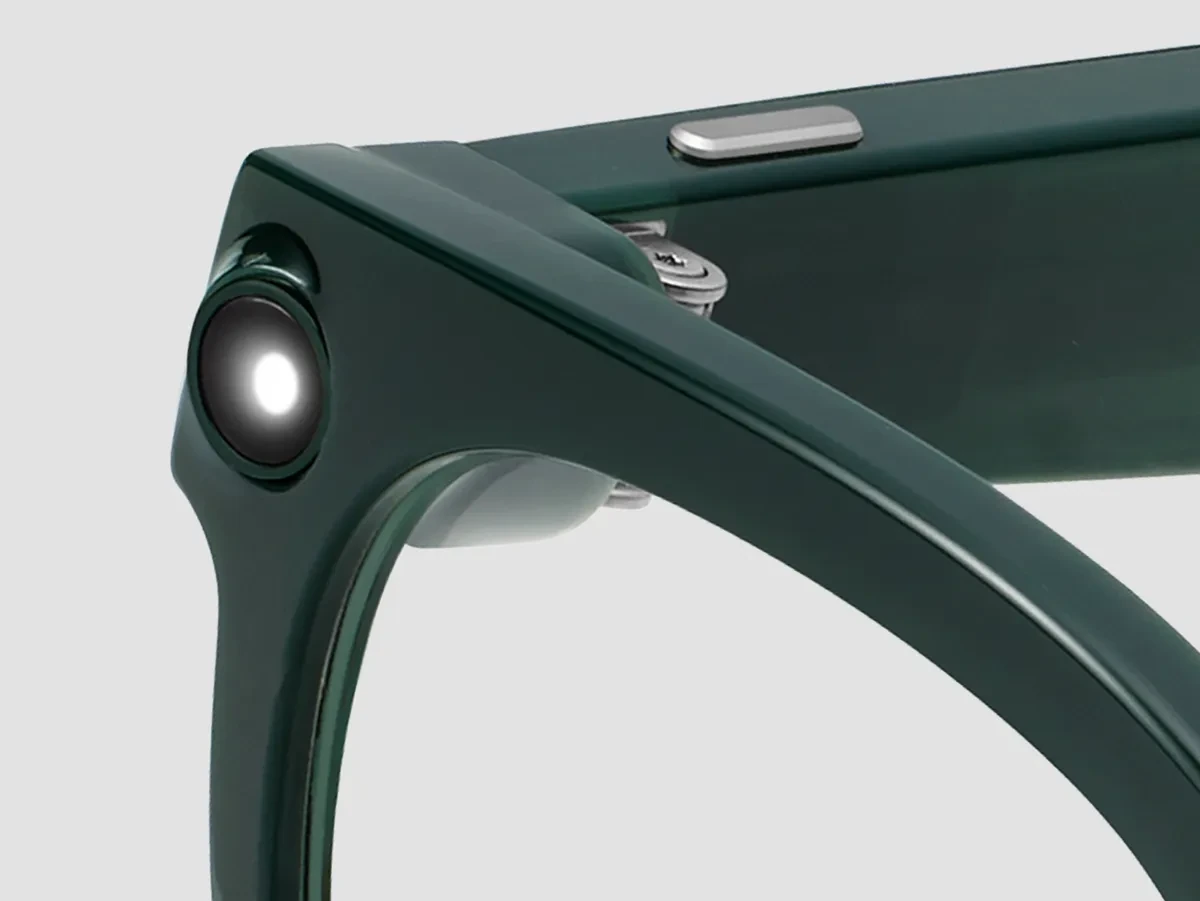
During a demonstration, ask to see the indicator from another person’s viewpoint, how to turn the camera off, and where to manage app permissions. That gives you a clearer picture of everyday behavior. You can learn these controls without making uninvolved people in a store or street your test subjects.
What to check in a demo and an order
Prepare three short tasks: reading a printed text you provide, identifying an object you name, and holding a one-minute voice conversation. Assess whether you can hear the answer clearly and correct a mistake promptly. This is a suggested demo plan; the article is not a hands-on review.
Verify timing as well. Google names December 10 as the start of retail availability, Warby Parker’s FAQ says shipments begin in mid-December, and the checked Wren product page showed an estimated November 26 ship date. These dates do not establish one delivery schedule for every configuration. Check the estimate attached to your actual order.
If you would first like to explore a Gemini voice-conversation exercise, see our short spoken rehearsal with Gemini on CarPlay. It can help you define a useful task for an assistant, while the glasses still need their own compatibility and comfort checks.

Join the conversation
Stay on topic and respect other readers. Your first comment may appear after editorial review.