
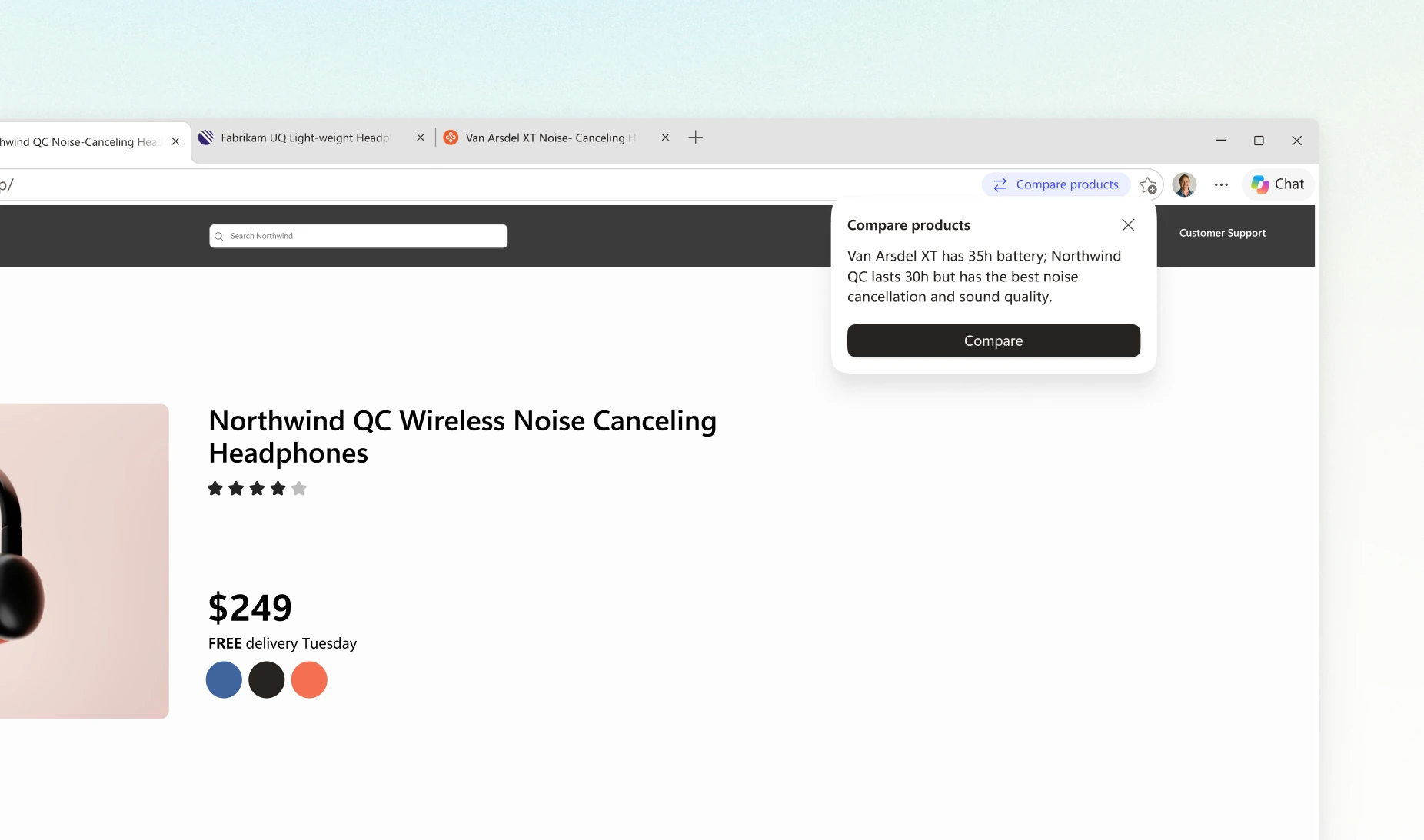
With several headphone tabs open, it is easy to mix up model versions, delivery charges and the price after a discount. Microsoft Edge can now offer a Copilot comparison of similar products. A separate Checkout Savings update looks for a coupon during checkout. The useful outcome is spotting a missed difference and checking the amount you will actually pay.
Microsoft announced the changes on November 9 for desktop Edge on Windows and Mac. Product comparison is announced for Copilot markets, with behavior depending on the website and rollout. Checkout Savings is explicitly limited to en-US. Having the comparison feature therefore does not establish that the new coupon experience is available in your browser.
Get a comparison of your open products
- Open two or three product pages in the same category in Edge. For a first attempt, choose models you are already considering and check that they are distinct products rather than different colours of the same model.
- If Edge offers to compare, open the comparison and check which tabs it selected. Microsoft says this particular offer reviews the pages in full after you choose to compare.
- If the offer does not appear, open Copilot in the sidebar and ask a specific question about the products. List the model names explicitly so that a response covering the wrong tabs is easier to spot.
A compact table is a useful starting point. Here is an original RozumTech practice prompt to adapt to your decision:
Compare the headphones in these three tabs. For each, list the exact model, wired connectivity, claimed battery life with noise cancellation enabled, weight, price and seller. Do not substitute specifications from another version. If a page does not give the answer, write “not stated.” Include the page link so I can check each model. Do not pick a winner until I explain which features matter most to me.
Check the manufacturer’s page for the specification you care about most. If you need headphones for a flight, battery life measured with noise cancellation off does not answer the question about using it. Also check that the table has not confused headphone weight with packaged weight, or a new product with a refurbished one.
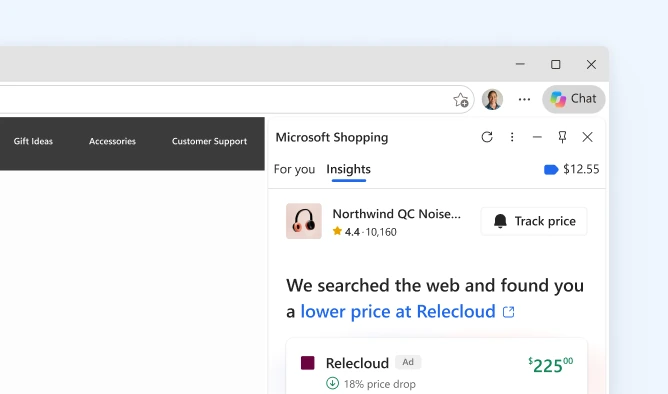
A lower product price does not finish the comparison
Imagine three offers for the same model. These are hypothetical teaching figures in euros, unrelated to actual stores or promotions. Assume the same tax treatment and no additional charges in all three cases.
| Offer | Product | Delivery | Discount now | Pay now |
|---|---|---|---|---|
| A | €120 | €8 | €0 | €128 |
| B | €125 | €0 | €10 | €115 |
| C | €114 | €7 | €0 | €121 |
C has the lowest displayed product price, while B has the lowest checkout total if its coupon actually applies. Without the coupon, B costs €125. Check the discount in the order summary: its appearance in a browser suggestion does not establish that your particular product qualifies.
Compare the seller, product condition, delivery date and return conditions separately. Paying more may be worthwhile for the delivery date you need, but that is your decision. Do not let a comparison table treat all offers as interchangeable just because their model names match.
Coupons, cashback and price history do different jobs
Price history helps show how the price known to the browser has changed. A coupon may reduce the amount due on this order. Cashback has separate participation and purchase-confirmation conditions; Microsoft lets users access it after the reward reaches a completed status.
Keep expected cashback separate from the money you need to pay today. Read the offer conditions before activation: using another coupon code can affect reward eligibility. In the example above, an additional 5% cashback offer would not change the €115 requested by the store now.
What if the familiar Shopping button is missing?
Microsoft’s support page describes a gradual move into the Copilot sidebar. Some configurations still show a Shopping tag in the address bar; others use Copilot as the main entry point. Check for an Edge update, sign in with the intended Microsoft account and open Settings → Privacy, search, and services → Search and connected experiences. Look for Save time and money with Shopping in Microsoft Edge.
Copilot’s context permission is separate. Under Copilot and AI, find Allow Copilot to read context clues on the web. Prepare ordinary public product pages for this comparison exercise. Avoid using invoices containing your address or other personal information as practice material.
If the feature has not appeared, you can make the same comparison manually: list exact models, required specifications and final totals. If a shopping page displays suspicious “virus” warnings, our guide to scam notifications in Edge covers that separate problem.

Join the conversation
Stay on topic and respect other readers. Your first comment may appear after editorial review.