
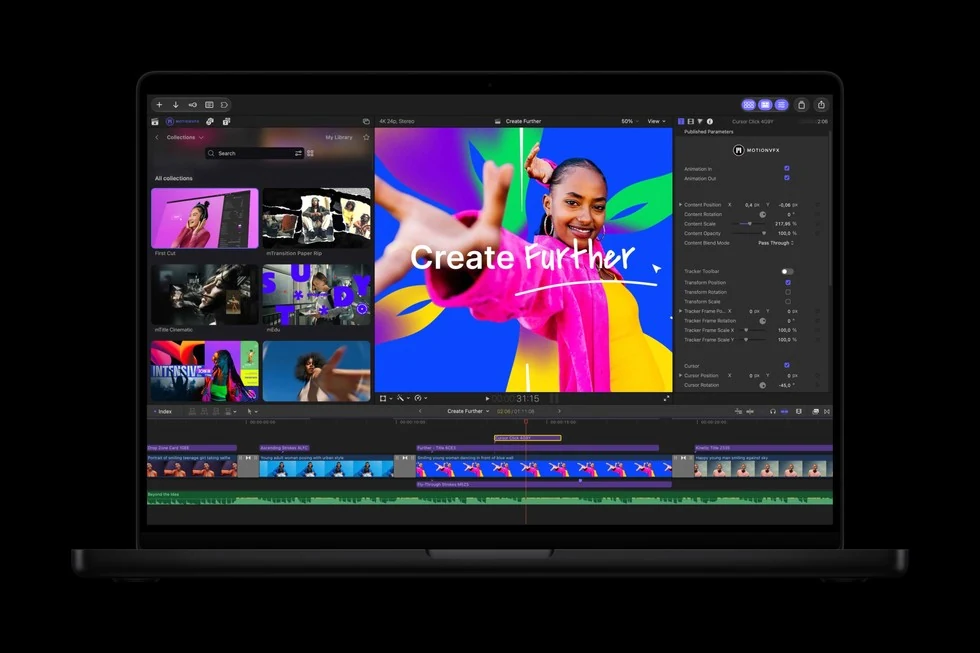
Apple has announced another Creator Studio update, bringing tools for video editing, music and documents. The announcement was published on October 27; the main updates are scheduled for November 2026, with some Freeform capabilities following in December. As of October 29, the entire list should not be treated as already available simply by pressing Update.
We previously covered the September Creator Studio changes and Final Cut Camera 2.4. This announcement concerns a different set of capabilities. Here is what a video creator, musician or regular presentation author should check. Images are official Apple Newsroom materials; our newsroom has not tested the forthcoming update.
What Apple has announced
| Application | Main change | A task worth evaluating |
|---|---|---|
| Final Cut Pro | MotionVFX integration and Content Hub video assets | Titles, visual design and recurring elements in videos |
| Logic Pro | Assistant, updated sound browser and expanded Stem Splitter | Finding tools and working with audio tracks |
| Pixelmator Pro | Generate Fill using a text description | Changing a selected part of an image |
| Keynote, Pages, Numbers | Assistants and MCP support | Document work and action automation |
For editing, start with one real video
A useful way to assess an effects collection is to start with something you actually publish. Choose a one-minute video with an opening, two titles and an end card, for example. Record how long its visual treatment currently takes, then repeat the task on a project copy after the update arrives.
Look beyond a template’s first impression. Replace the headline, swap a shot, check readability on a phone and export the finished file. A template’s usefulness becomes clearer when it survives ordinary editing. For client work, also check the usage terms of the particular asset or effect; appearing in a library does not answer every question about your intended distribution.
If your current workflow is already fast, a new transitions collection does not make rebuilding it necessary. Look for one recurring task the update simplifies: replacing a visual treatment, preparing another format or moving material between applications. Preserve the original project separately so you have a comparison point.
Assistants: US English and device requirements
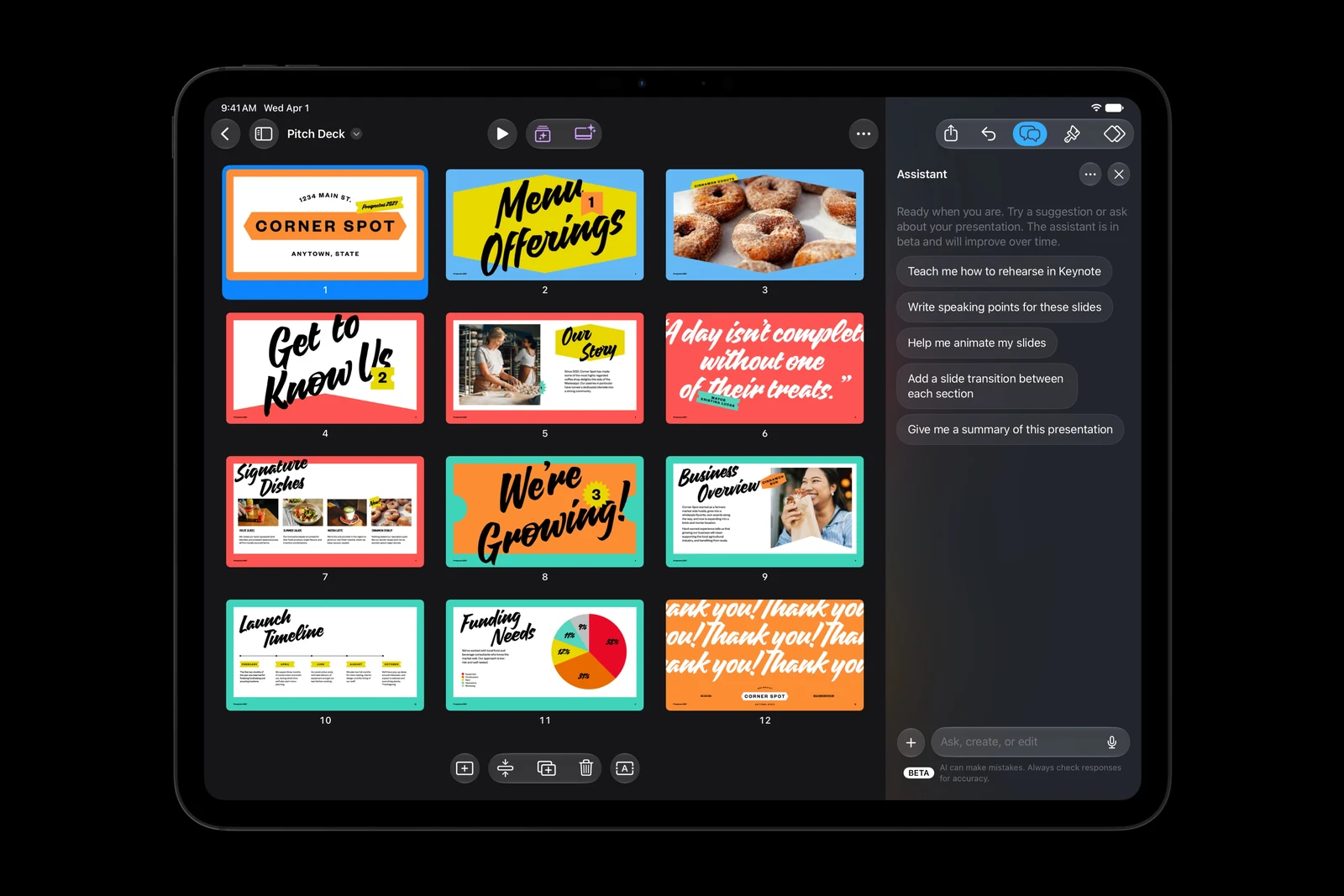
Apple’s notes say the new assistants in Logic Pro, Keynote, Pages and Numbers launch in beta in US English. They require an Apple Intelligence-capable device and the appropriate generation-27 operating system or later; the Logic Pro assistant is for Mac. MCP for Keynote, Pages and Numbers requires macOS 27 or later.
Application interface language, document language and the assistant’s supported language are separate characteristics. Before subscribing for a particular feature, check its own requirements. If most of your work uses another language, request a demonstration of that scenario or wait for the relevant support. One successful short response cannot establish complete language support.
Checking help with a presentation or spreadsheet
For a presentation, prepare five points, verified figures and the intended order of the argument. After the assistant works on it, check that the logic survives, that no unsupported claims have appeared and that important elements remain editable. An attractive slide with an incorrect number saves little time if the audience discovers the problem.
For a spreadsheet, start with a copy of a small dataset whose result you can calculate manually. Check the total, empty cells, units, date format and whether every relevant row reaches the chart. This is our recommended evaluation method, not a report of an already completed test of the new Numbers assistant.
MCP gives external tools a way to interact with documents. The practical question is which actions you authorise: reading, editing or running an automation. Begin with a copy without confidential information, assign one small change and examine the result. Our explanation of AI agents and their practical uses offers broader criteria for choosing these workflows.
Subscription pricing and what it includes
Apple’s US page lists the standard plan at $12.99 per month or $129 per year after the trial. Twelve separately paid months total $155.88, making the annual plan $26.88 cheaper on the same terms. However, if you need the apps for only a few short projects, paying for a year may be unnecessary. Check local pricing and taxes in your own App Store.
The standard subscription can be shared with five other family members. Free versions of Keynote, Pages, Numbers and Freeform remain available; Creator Studio adds premium content and intelligence features. Apple also retains one-time Mac purchases for several professional applications. Before switching from such a licence, compare the feature lists: an application name alone does not establish what your version includes.
Generation has limits, and partners may process requests
Apple separately documents monthly limits for generating images, shapes, presentations and presenter notes. Usage depends on request complexity and service availability. In a supported application, Intelligence Features → Show Usage Status shows your usage. These rules should not automatically be applied to every newly announced assistant.
The help page also explains that some intelligence features send your request and supplied content to a third-party provider; a separate personal account with that provider is unnecessary. Before using a work document, check the specific feature’s notice and your organisation’s rules. For an initial evaluation, use a fictional dataset or your own public material.
Try it without keeping an unwanted subscription
Note the trial’s end date and assess one completed result before then: a video, presentation or piece of music. Include correction and learning time. If the benefit is insufficient, cancel through Apple Account settings → Subscriptions. Apple says your created files are retained after the paid subscription ends; access to paid features and the ability to continue working depend on an active subscription or a purchased application.
For now, make a shortlist of the capabilities you need and wait for their actual release. Existing subscribers will receive the November update without a separate charge. New users are better placed to decide from one verified working scenario than from the number of application names in the bundle.



Join the conversation
Stay on topic and respect other readers. Your first comment may appear after editorial review.