

Cloudflare has launched Spend Management in beta. Pay-as-you-go customers can set limits for Workers and Durable Objects and pause supported operations when a threshold is reached. Announced on November 13, it gives application owners another cost control. Two consequences deserve attention: enforcement takes time, and a limit can interrupt several services in the same account.
Identify the charges you want to control
Workers execute application code, while Durable Objects provide separate computation and state. Spend Management measures a product’s charges within its current subscription billing period. The Workers limit counts requests and CPU time after included usage. The fixed subscription fee and other products are charged separately.
Read the limit as a control for a particular cost category. Before configuring it, open current usage and list the products your application uses. A small form might need one Worker; an AI assistant might involve a Worker, storage, a database, and an external model API.
Under Billing → Billable Usage, distinguish Total usage, which includes the allowance, from Billable usage, the chargeable excess. Usage cost shows the product’s cost for the selected period. This helps you use a monetary amount in the budget rather than confusing it with a request count.
Example: production and an experiment in one account
Imagine an account containing a production website Worker and a test bot. These figures are fictional and illustrate the mechanism. Charges recorded in the current period are:
| Category | Example amount | Covered by the Workers limit? |
|---|---|---|
| Requests and CPU across the account’s Workers | $48. | Yes. |
| Durable Objects usage | $12. | Has a separate control. |
| Other products, such as R2 | $8. | Charged separately. |
| Fixed subscription | Under the applicable plan. | Excluded from this limit. |
With a $60 Workers limit, the $48 already spent represents 80% of the threshold. That leaves $12 within this calculation. The limit covers all Workers in the account: activity from the test bot could lead to the production Worker being blocked too. Map their dependencies as well. A website form might call another service that also becomes unavailable.
A $60 limit does not establish a $60 final bill. This example already includes $20 in other charges, before the subscription, further usage, or overshoot during the enforcement delay. Separating the categories is more useful than one general “budget” label because it shows which components the control actually covers.
Set a limit in the dashboard
- Open Billing → Spend Management for the relevant account.
- In the Workers or Durable Objects row, choose Edit the spending limit.
- Enter a positive amount in Monthly limit (USD) and select Save limit.
- Check that it is On. Saving a new limit enables it; editing an existing one preserves its previous on/off state.
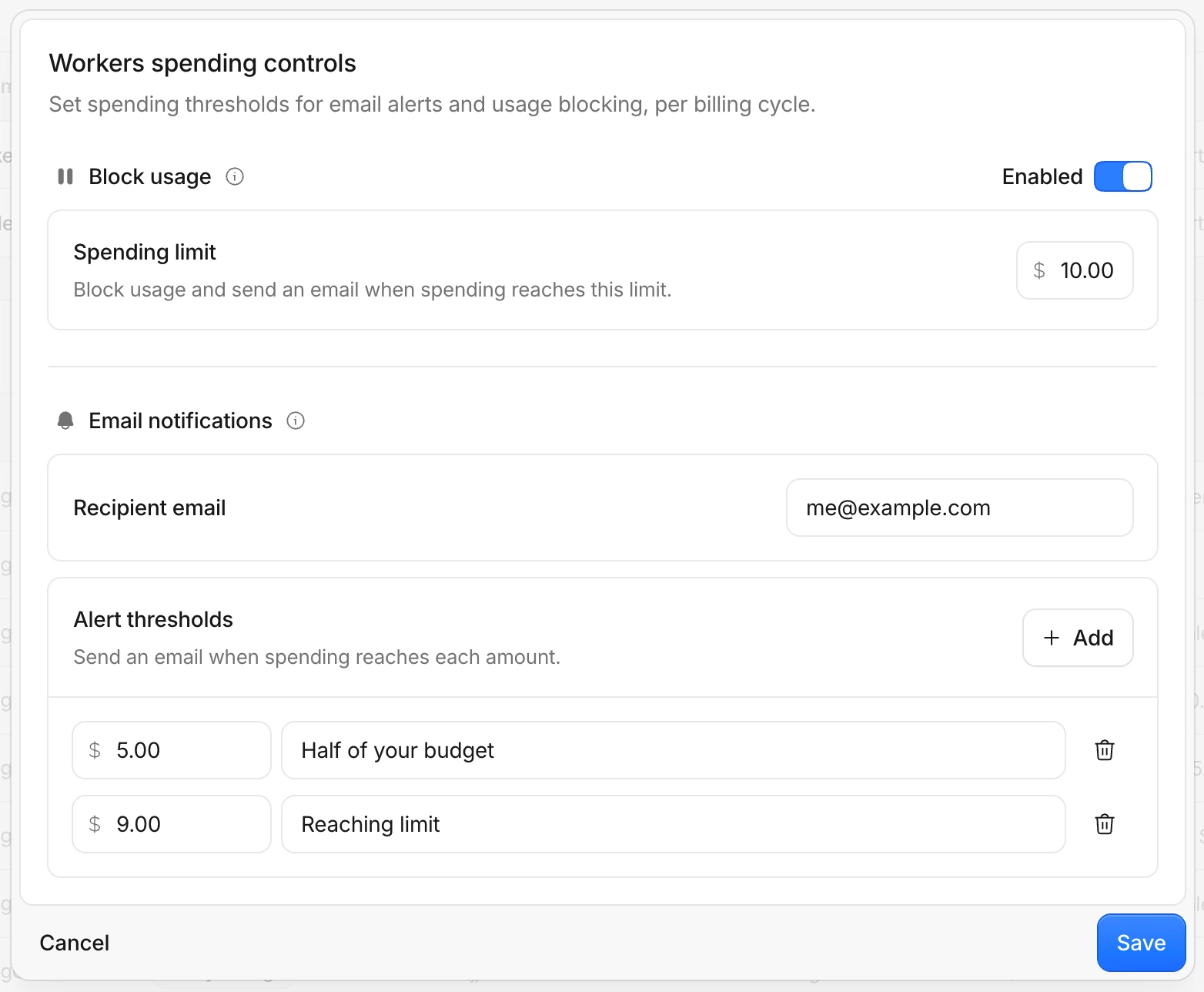
Recorded usage counts toward the limit. In our $48 example, setting a $30 threshold does not grant another $30 of future usage: the threshold has already been crossed, and a pause can follow policy evaluation. Check the current amount and its billing period before selecting Save.
Alerts and blocking are separate decisions
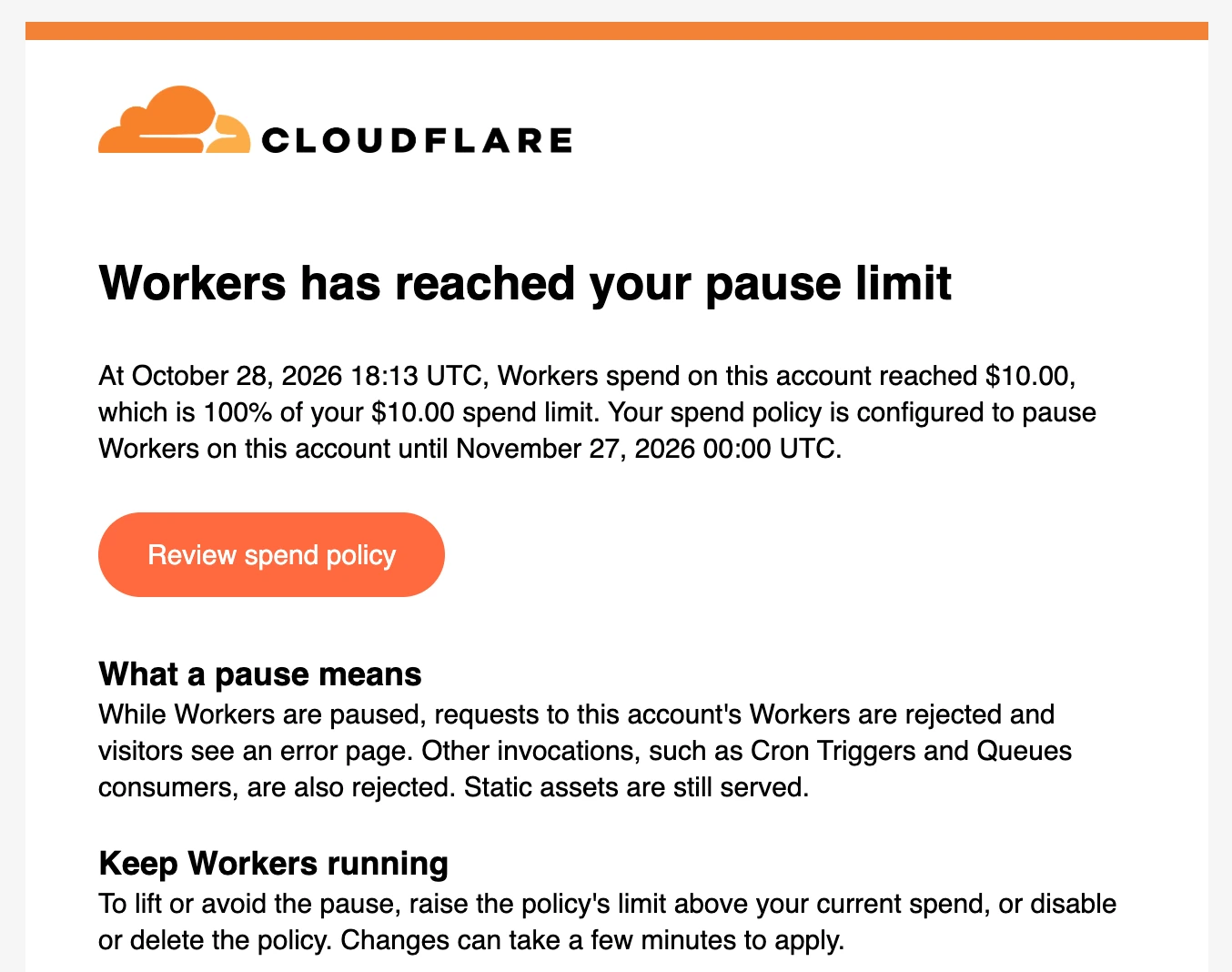
You can configure notification alone or a control that pauses operations. Emails need a recipient address: the documentation warns that saving a dashboard limit does not add one automatically. Policies with an address support notifications at 80% and 100%. If spending jumps across both thresholds between evaluations, only the second notification may arrive.
The cf CLI also supports policies and alerts. Its guide covers listing policies, adding or updating notification addresses, and reviewing events. After configuring a policy, check the saved address and chosen action. An On status means the policy is enabled; it does not establish that the application is currently responding.
What happens when enforcement takes effect?
A Workers limit blocks new invocations, including incoming HTTP requests, Cron Triggers, and queue consumers. HTTP visitors may see error 1103. That error has other causes, so check Billing first. Static files served without executing Worker code can remain available.
Durable Objects have separate behavior. New requests and several storage operations are blocked, but already-open WebSocket connections and some operations can continue. Stored data remains in place and can still incur charges. Review the documentation for your storage type and background tasks before relying on this control.
Cloudflare’s announcement describes usage reporting with a delay of under ten minutes and asynchronous enforcement. A practical consequence is to leave room between your desired spend and the largest bill you could accommodate. Reconcile final charges against the invoice; use dashboard estimates to monitor the trend.
Write a recovery plan beforehand
To lift a block caused by this policy, raise the threshold above current spending, disable the policy, or remove it. Changes take time to apply. Switching a policy Off and On does not reset accumulated usage. A new period follows the subscription cycle, such as the 18th, rather than necessarily the first day of the calendar month.
For the fictional account, record four things: who reads notifications, which pages to check during a pause, who can change the threshold, and what demonstrates that service has recovered. After changing a setting, test an actual application action, such as submitting a test form, and investigate why costs increased. A restored status alone does not verify the whole workflow.
If the application calls AI models, those costs need their own control. AI Gateway provides separate budgets for requests routed through it. Build the overall plan from an inventory of components. Our Google Maps prototype in AI Studio offers an example of this distinction: demonstration access and real API calls need to be understood separately.



Join the conversation
Stay on topic and respect other readers. Your first comment may appear after editorial review.