
The November 2–8 week brought updates you can try in familiar apps: longer AI videos in Vids, GIFs in ChatGPT, a unified Affinity for iPad and file actions in Dropbox. Microsoft also explained changes for PCs with 8 GB of memory and reported on fake installers. Here are ten developments, with announcement dates, access conditions and a practical step for each.
The dates below refer to official announcements, rather than a promise that every account received a feature on the same day. For the preceding week, see our October 26–November 1 digest.
1. Affinity for iPad brings its tools into one app
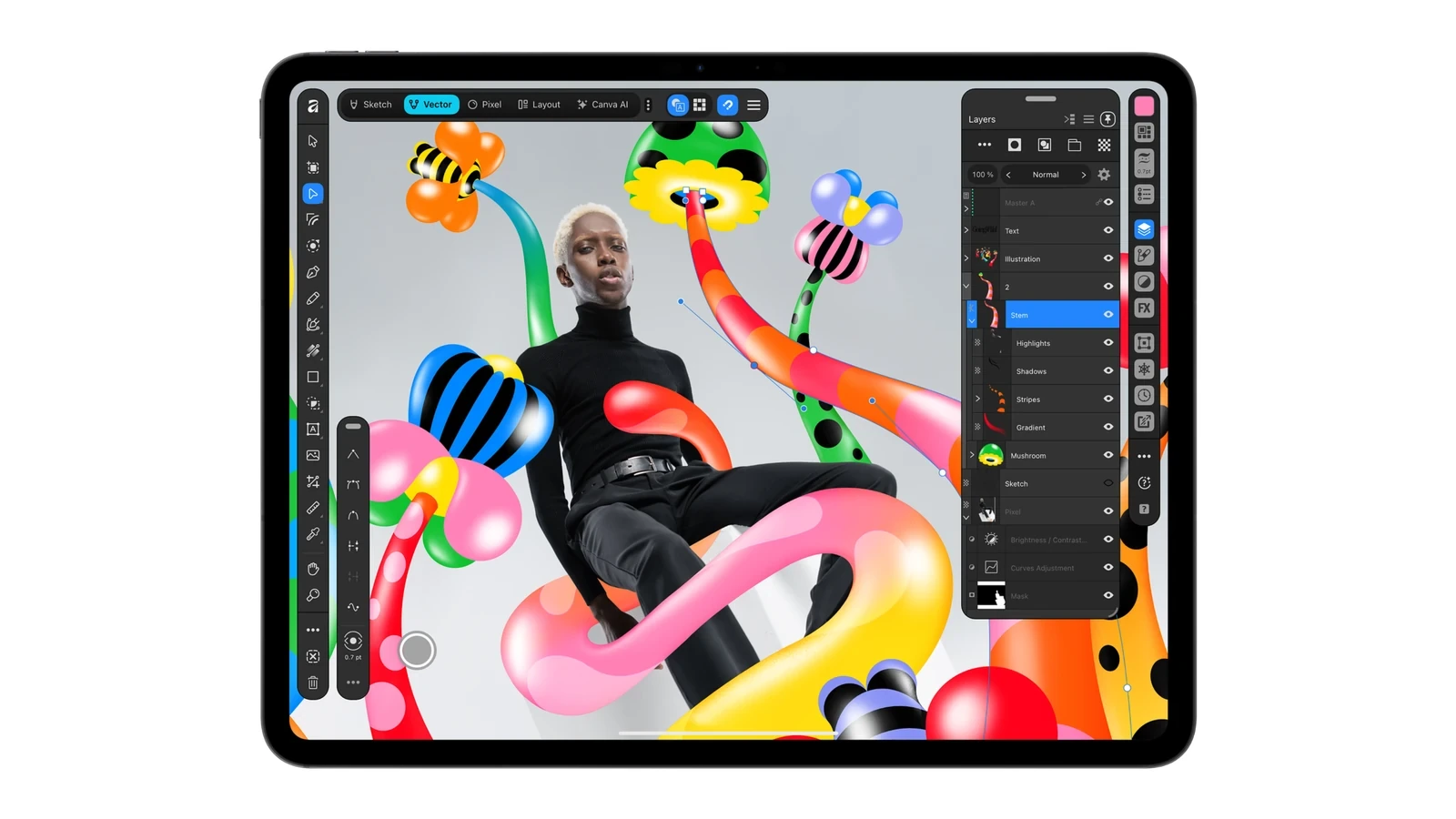
November 2. The unified Affinity for iPad combines sketching, vector graphics, photo editing and page layout in one document. Its core tools are free for individuals, with a Canva account required to sign in. Access to premium AI tools is a separate matter.
Try this. Make a poster whose date remains editable as text, then prepare separate files for print and a group chat. Our Affinity exercise includes dimensions, an explanation of aspect ratios and an official video lesson. Keeping an editable original matters more here than choosing an impressive filter.
2. Google publishes its investigation of XCPE in TV boxes
November 2. Google Threat Intelligence reported a coordinated operation against XCPE, a botnet involving more than 1.3 million set-top boxes. The report concerns particular malicious infrastructure and devices. The word Android on a package does not by itself establish the presence of that backdoor.
Check this. Record the exact model and firmware build, then seek the manufacturer’s answer for that combination. A lack of offered updates does not establish safety. Our XCPE guide provides a checking sequence and a support-message example. Avoid a random “XCPE cleaner” linked in a comment.
3. Windows 11 changes target PCs with 8 GB of memory
November 3. Microsoft described memory-use and responsiveness improvements. Its own lab testing showed up to 40% faster multitasking on 8 GB PCs. That is the result of a particular test, and should not be applied to every application or game.
Do this. Check your Windows version and build, then repeat an ordinary task with the same apps open. Do not judge the improvement solely by unused gigabytes in Task Manager. Our 8 GB PC explainer covers availability and a comparison method.
4. A new Microsoft report examines fake installers
November 3. Microsoft published an investigation into a fake-installer campaign. A useful first distinction for an individual user is whether the questionable file was merely downloaded or actually run.
First step. If you ran it, record the time, filename and Protection history events. Do not dismiss a warning by excluding an entire folder. Today’s Windows checking guide includes genuine Microsoft settings screenshots, a worked record and the next steps. Deleting the original file alone does not describe the state of software already installed.
5. ChatGPT Images 2.6 adds animated GIFs
November 4. OpenAI introduced Images 2.6 with faster generation and the ability to animate images into GIFs. It also reports improved consistency during edits. Check your own interface for the availability of specific actions as features roll out.
Try this. Use your own simple sketch and request one repeating movement. Inspect the transition from the last frame back to the first for a visible jump. Our sketch-to-GIF article includes sample prompts. After an edit, also compare the areas that were meant to remain unchanged.
6. Xbox tests phones as controllers for smart TVs
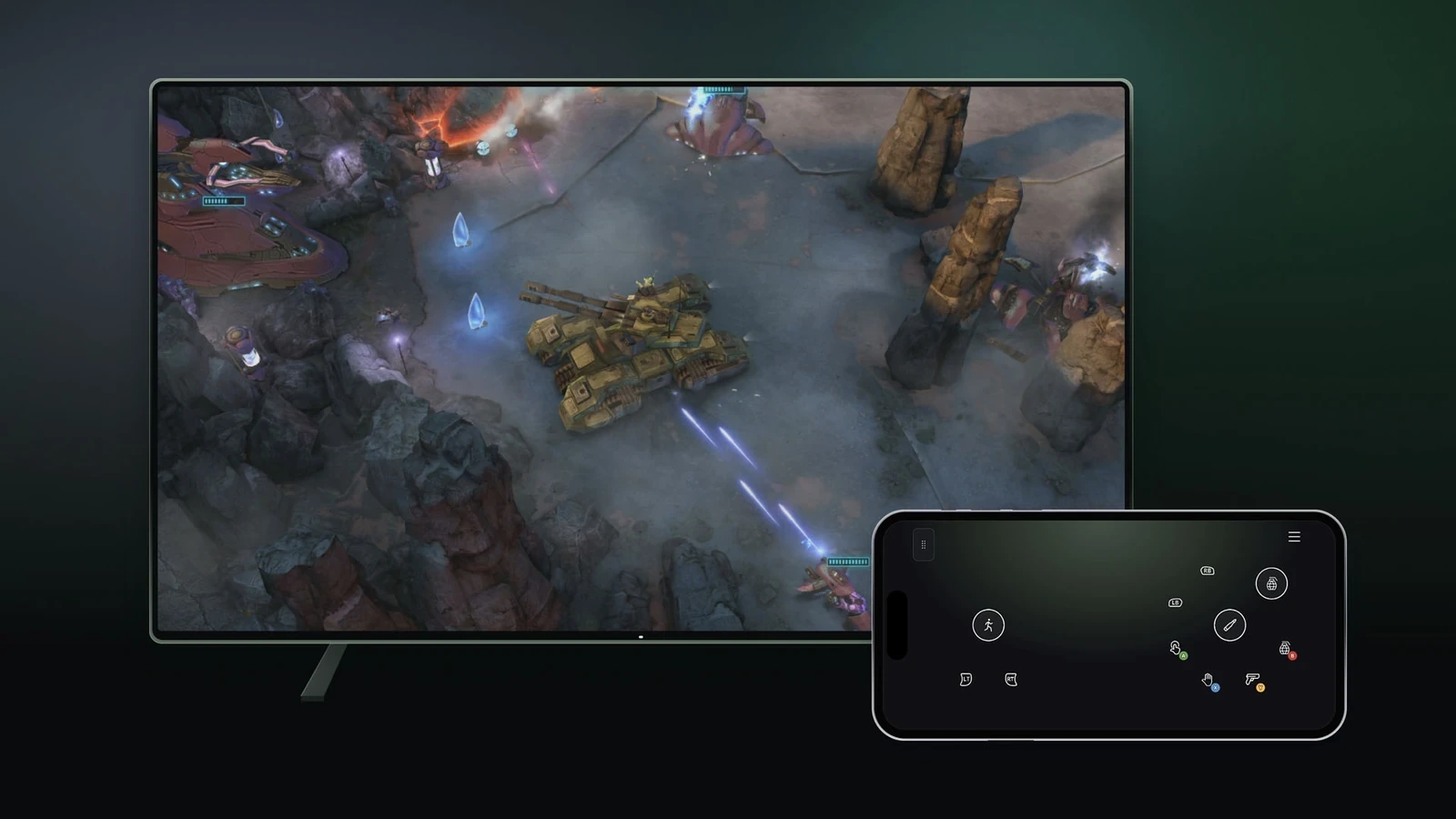
November 4. Xbox began previewing phone-browser controls for cloud games on supported smart TVs. A separate US preview connects the physical Xbox Nano Controller to a cloud session over Wi-Fi. These are two different capabilities.
Check this. Verify your TV and region, enable Preview Features and look for the phone-pairing QR code. The phone mode itself does not require buying a Nano. Our connection guide walks through the route. Start with a slower game so you can judge the touch controls without a demanding action sequence.
7. Google Vids can generate up to 15 seconds of video
November 5. Gemini Omni 1.2 Flash began rolling out in Vids, with durations up to 15 seconds and improvements to reference following. Check Vids access separately from the subscription requirements of the Gemini app.
A practical attempt. Upload your own photograph of an object and ask for one slow camera move. Add the event date as editable text afterwards. Our new Vids article includes a practice prompt, an official Google video and an explanation of allowances measured in seconds. Check your remaining balance before repeating attempts.
8. Dropbox moves from finding files to acting on them
November 5. Dropbox introduced AI features that find relevant files, propose a plan and take action after approval. Announced examples include organizing and renaming content. Availability depends on the rollout and account.
Start here. Try a small folder containing copies. Check the naming rule and selection before approving the plan. Our Dropbox walkthrough includes an example of that review. Afterwards, compare the result with the list you expected to receive.
9. WhatsApp event invitations reach people without accounts
November 5. WhatsApp announced updated event invitations: guests can respond through a link without installing the app. Guests without accounts see the address after replying. The rollout is taking place over several weeks.
A useful detail. State the reply deadline and whether guests can bring someone. Put a home address in the location field instead of a broadly shared invitation image. Our WhatsApp Events guide explains what guests can see and what to do when the new feature has not appeared.
10. Gemini analyzes Google Forms responses
Announced November 5. Google introduced Actionable Insights in Forms. Rapid Release rollout began November 2; Scheduled Release rollout is due to begin November 19. Gemini looks for patterns across responses and suggests next steps.
Check the conclusion. Separate the total number of participants from answers to an optional question. Eight positive answers among ten completed responses is 80% of those answers, but it is not 80% of twelve participants. Our twelve-response exercise provides data you can use to verify that distinction yourself.
One useful action for the coming week
Choose a task you already need to complete: a poster, short clip, folder check or survey. Keep the original inputs and define success before starting the AI step. For a security check, that means a recorded protection action and a clear next step. For creative work, it means a file you have opened and checked in the format you actually need.


Join the conversation
Stay on topic and respect other readers. Your first comment may appear after editorial review.